 North Shore Plant Club
- Shop For Plants
- Search Plants
- Resources for Gardeners
- Color Wheel of Plants
- Interactive Landscapes
- Photos of Planters & Hanging Baskets
- September Photos from Our Community
- Botanic Gardens: Chicago & Beyond
- Local Nurseries
- Upcoming Plant Events
- Plant Club Articles & Answers
- Gardening in the News
- Chicagoland Garden Calendar
- Explaining Plant Container Sizes
- Thrillers, Fillers & Spillers
- Join Free!
- Mundelein
Feb 19, 2026
How Do I Reset My Plant Club Password?
If you have previously been able to log into northshoreplantclub.com but now cannot, first take a moment to confirm your information.
Are All My Ducks in a Row?
Confirm you are using the email address which is associated with your plant club profile. You can check in your email box to see which address the plant club is emailing you.
If the email address associated with your plant club account is the same as the one on the login screen (check to see that there are no typos!), and you have tried pasting your password directly from your password manager (to make sure there are no typos!) and you're having trouble logging in, you may need to reset your password.
Here's how to do that...
How to Reset My Plant Club Password
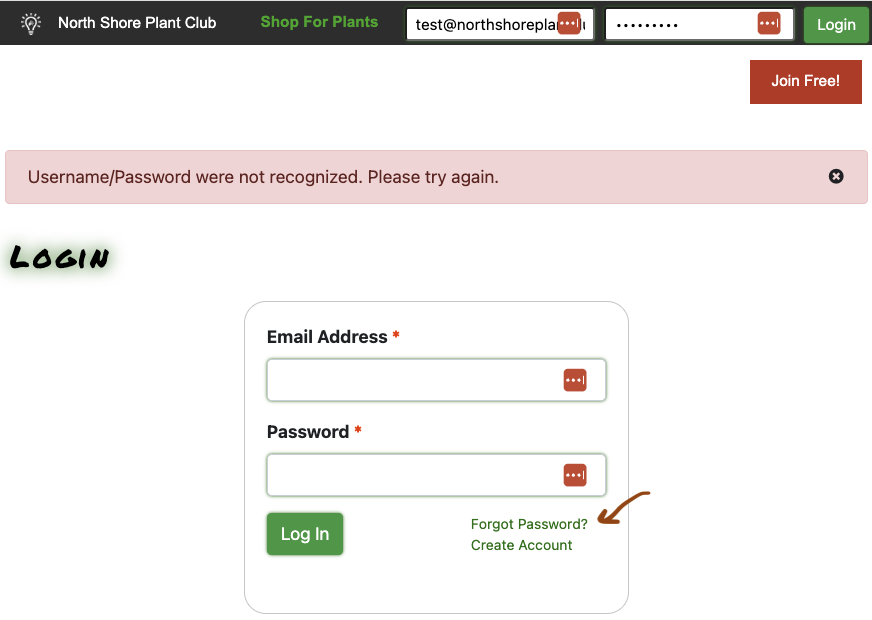
Click on the "Forgot Password?" link.
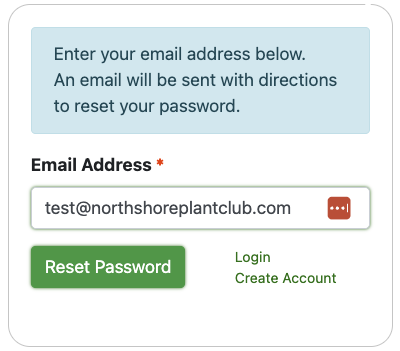
Enter the email address associated with your Plant Club account (see above). Click the "Reset Password" button. You'll see the following message at the top of the page.

At this point, our server sent an email to you.
Check the email account you entered in above. You should receive a reset link from no-reply@northshoreplantclub.com (SUBJECT: Password Reset Request) within a few seconds which says
A request has been made to reset your password. Click here to reset. This link is only valid for 30 minutes.
Click on the "Click here to reset" link.
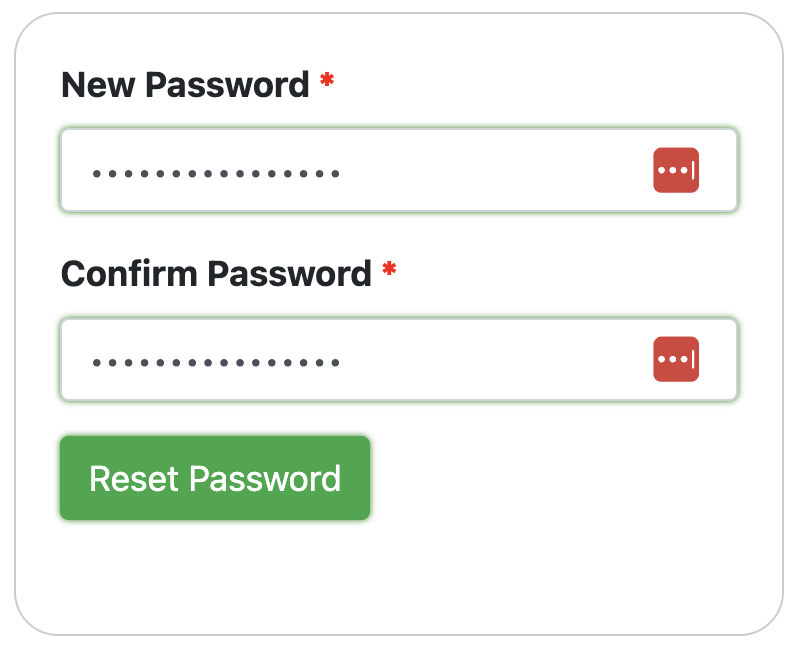
Enter a new password and enter it again. Make sure to save this password to your password manager (Public Service Note: Password managers are a great idea which will help both keep you keep from getting hacked and from forgetting your many passwords)!
Click the Reset Password button.

You should now be able to log in.
Why might the process not work as described above?
For security purposes, the password reset link you generate is only valid for 30 minutes (We don't want someone getting access to your email later on, and using that to reset your password). If you didn't click on the link in your email quickly, this is probably your problem.
For similar reasons, you can't use the same link more than once. If you want to reset your password again, click on the Forgot Password link again for a new link.
If the password reset email doesn't turn up at all... the most likely issues are:
- Are you looking in the email box that corresponds to the email address you just entered?
- Is that email address associated with a plant club account? If not, we won't send a password change link.
- Is there a typo in the email address in that box?
- Sometimes email providers classify incoming emails with reset-type links as likely "Junk." Check in your Junk or Spam folders to see if your provider has filed the reset email there.
- If your email provider is the sort that likes to vigorously block incoming mail in a way that you might never see, try whitelisting the @northshoreplantclub.com domain (so you get all of our email), or specifically the no-reply@northshoreplantclub.com email address (so you get this one email). Check with your email provider for details.
If none of that works...
We'll help you out! Please email us at help@northshoreplantclub.com...